 DualPulseGitHub
Your DualSense, fully working on PC. Even wireless.
Adaptive triggers, haptic feedback, the controller speaker and microphone over Bluetooth, plus emulation so every game works. Free and open source.
Windows 10 and 11 · No install · MIT license
Features
Wireless haptics and triggers
Games with DualSense support get adaptive triggers, haptics and speaker sound over Bluetooth, through a virtual DualSense.
Haptic feedback over Bluetooth
Game rumble plays as DualSense haptics, and PC sound can be felt in the grips, also on the cable.
Every game works
Xbox 360, DualShock 4 or DualSense emulation, with your real controller hidden from games.
Profiles
Triggers, gyro and sticks per game, switching automatically with the game in front, or picked by hand, even from the controller. Share them as files.
Tuned for games
Stick deadzones, button remapping, gyro as the right stick and every adaptive trigger effect.
Microphone in games
The controller's mic through the virtual DualSense, with a click-proof noise gate, low cut and boost.
PC control
Touchpad as a mouse, buttons as keys and media keys, a window switcher.
Lights and more
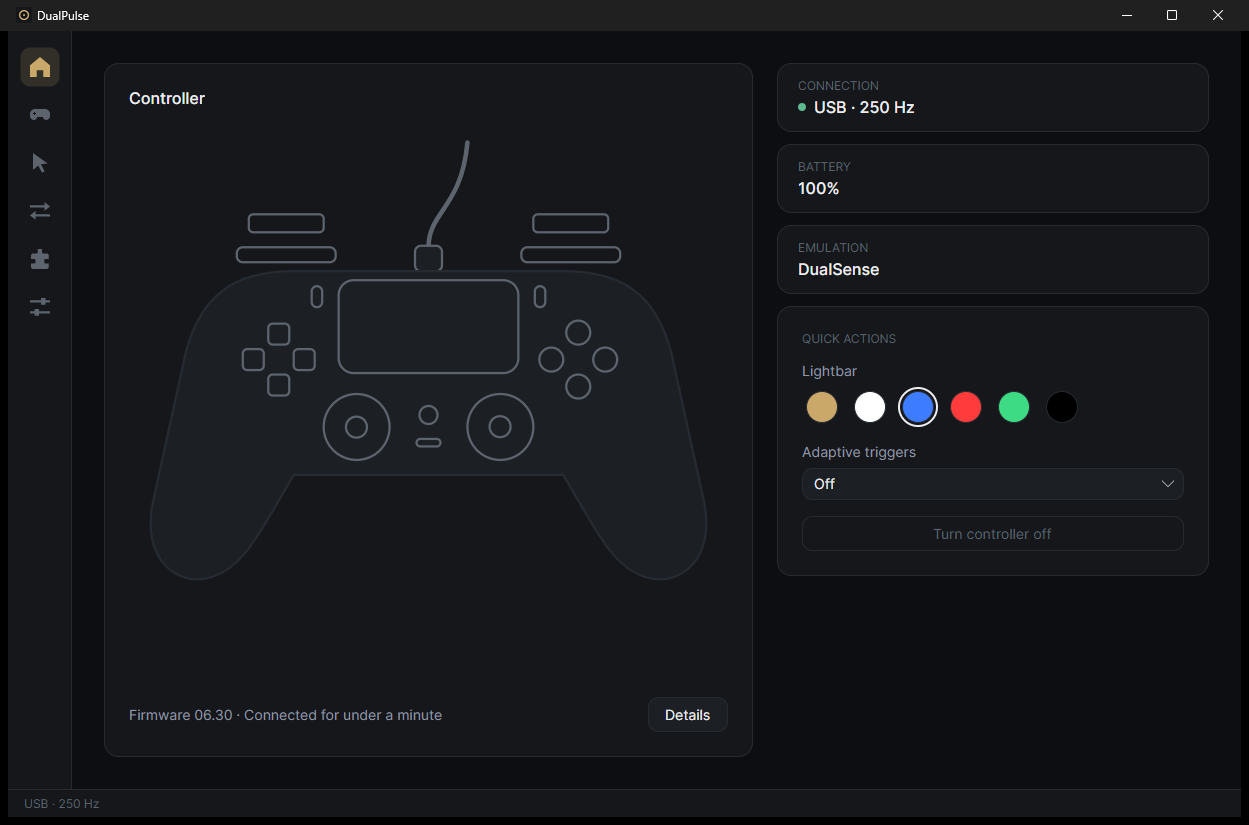
Lightbar colours, battery on the player LEDs, a real mic mute button, controller details, DSX mods.
Get started
- Download the zip, unzip it and run
DualPulse.exe. If Windows says it protected your PC, click More info, then Run anyway. - Connect your DualSense by cable or Bluetooth.
- Pick what games see on the Emulation page. DualPulse links the free driver a mode needs (ViGEmBus, usbip-win2 or HidHide).
To remove DualPulse, turn off Hide my DualSense and Start with Windows, then delete its folder and%LOCALAPPDATA%\DualPulse.
Code signing policy
DualPulse has applied to the SignPath Foundation. Until the application is approved, releases are not signed.
Free code signing provided by SignPath.io, certificate by SignPath Foundation.
- Committers and reviewers: elvisgraho
- Approvers: elvisgraho
Every release is built from this repository's source by GitHub Actions, and each signing request is approved by hand.
Privacy: this program will not transfer any information to other networked systems unless specifically requested by the user or the person installing or operating it. The only such request is the optional update check. See the privacy policy.